
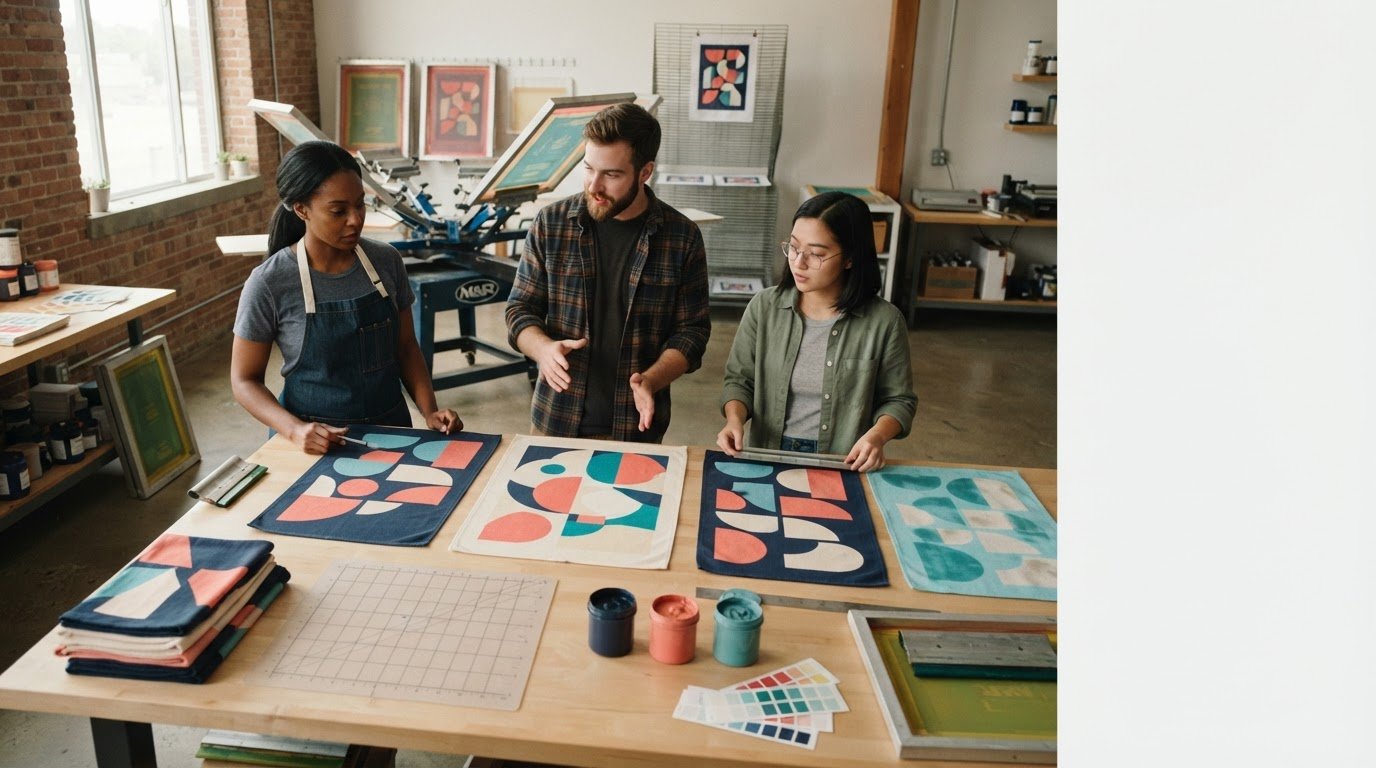
The artwork looks sharp, the event date is set, and the custom towels are ready for production. Then the first print comes out blurry, misaligned, or uneven. Most common screen printing mistakes to avoid aren’t random surprises. They often start when a detail is missed between artwork approval, material selection, press setup, and quality checks.
If you’re concerned that unclear file requirements or a small production flaw could waste materials or put a deadline at risk, check the details early. A clear checklist helps you identify likely causes, ask useful questions, and approve a job with greater confidence.
This guide covers warning signs in artwork, screens, ink application, and finished prints, along with checks that can help prevent defects. It also explains why print expectations should be confirmed for the specific material, whether you’re ordering custom towels or another screen-printed item. Use the checklist to prepare clear instructions and catch issues before they affect the full run.
Key Takeaways
- Recognize common screen printing mistakes to avoid, from blurry artwork to uneven coverage, and identify what may need a closer look.
- Review artwork for resolution, color clarity, fonts, and fine details, then confirm the printer’s file requirements before finalizing it.
- Ask whether registration, screen condition, ink consistency, and material suitability have been reviewed for the specific job.
- Use a proof to confirm approved details, then compare finished prints for placement, coverage, and differences from the approval.
- Follow a pre-production and final-inspection checklist, and document concerns clearly for your printer.
Common screen printing mistakes to avoid: where print jobs go wrong
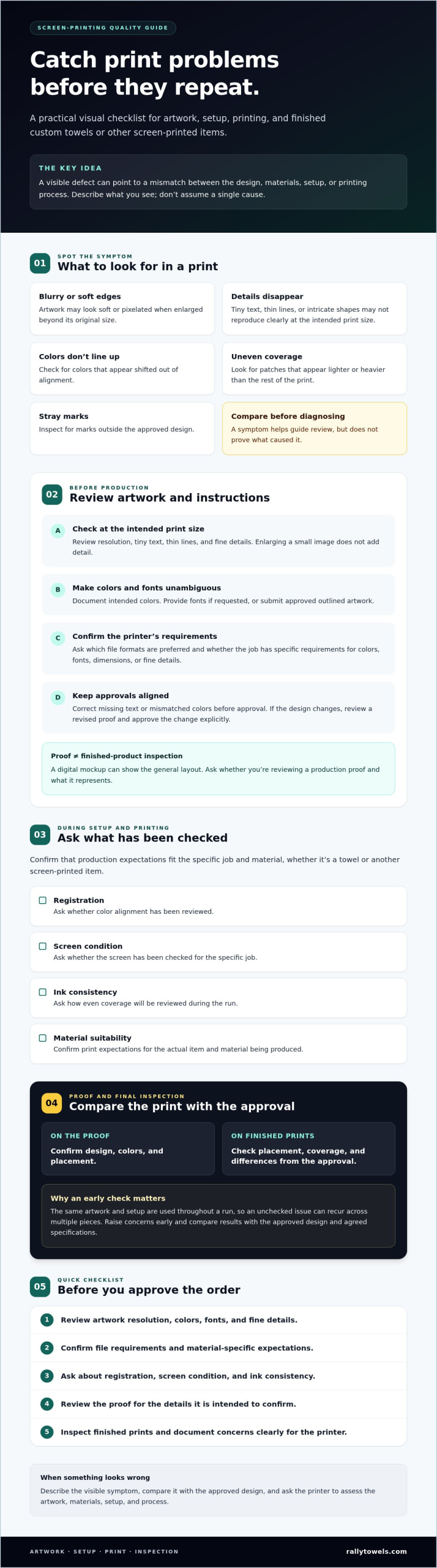
Most print defects have identifiable symptoms, and a careful review can catch concerns before the full order is completed. Common screen printing mistakes to avoid include blurry artwork, misregistration, uneven ink coverage, stray marks, and curing problems. A visible issue may originate in the design file, appear during setup or printing, or become clear during finishing.
A screen-printing defect is a visible result of a mismatch between the design, materials, setup, or printing process. Understanding the stages of screen printing can help you ask more useful questions about where an issue may have started.
For a visual introduction to beginner errors and prevention, watch this video:

What does a screen-printing mistake look like?
Describe the visible symptom rather than guessing at its cause. Look for fuzzy edges, small details that disappear, patches that appear lighter or heavier than the rest of the print, colors that don’t line up, or stray marks outside the design.
Some flaws begin in the artwork. A low-quality image may look soft before production, for example, while a missing design element may already be absent from the approved file. Other problems, such as colors shifting out of alignment or inconsistent coverage, may arise during production. These signs help identify what to investigate, but they don’t prove a single cause. Compare the result with the approved design and the specifications agreed for the project.
Why can one small mistake affect the whole order?
An unchecked file or setup issue can recur across multiple pieces because the same artwork and production setup are used throughout a run. If a detail is too small to reproduce clearly, it may be hard to see on each item. A placement issue can also repeat if it isn’t noticed and addressed early.
That’s why proofs and clear approvals matter. Review the proof for design, colors, and placement, and raise questions before production proceeds. A proof helps confirm how the design is intended to look, but it doesn’t replace checking the finished product. Since defects can have different causes, describe what you see and ask the printer to assess the artwork, materials, setup, and process.
Artwork and file mistakes to avoid before screen printing starts
A clean print starts with clear artwork, but a file that looks fine on a laptop can cause problems at its intended print size. Low resolution, ambiguous colors, missing fonts, and overly fine details are common screen printing mistakes to avoid. Treat these as review prompts, not automatic failures. The printer can assess the artwork against the planned product and production method.
Low-resolution files and details that may not reproduce
Enlarging a small image doesn’t add detail. Edges can look soft or pixelated when the artwork is printed larger than its original size. Check tiny text, thin lines, and intricate shapes at the actual intended print size. Ask the printer whether the file is suitable before approving it, and clarify any requested revisions before production.
Color choices, fonts, and missing approvals
Screen colors don’t guarantee how printed colors will appear. Document the intended colors and ask how they’ll be interpreted for this job. If the file uses fonts, provide them if requested or submit approved outlined artwork. A digital mockup can show the general layout, but don’t assume it confirms every production detail. Ask whether you’re reviewing a production proof and what it represents.
Resolve design decisions before production changes. If a submitted file has missing text or a color that differs from your instructions, correct the file before approval. If the printer proposes changing the design to suit production, request a revised proof and approve the change explicitly. Keep the approved version and instructions together so everyone is working from the same details.
File formats and technical requirements vary by printer and project. Before finalizing artwork, ask which formats are preferred and whether there are specific requirements for colors, fonts, dimensions, or fine details. The American Screen Printing Association can also provide broader educational resources about the industry. For custom towels, the right customization method may affect how you prepare and assess artwork, so explore this towel printing guide as you compare options.
For custom towel artwork, share the design and project requirements with a production partner early. Explore custom towel printing and confirm what the printer needs before approving the final file.
Setup and printing mistakes that cause misregistration or uneven ink
After artwork approval, setup and printing still need to suit the design and material. Common screen printing mistakes to avoid at this stage include misregistration, uneven coverage, stray marks, and problems linked to an unsuitable material or process setup. These symptoms point to areas worth checking, but don’t identify a cause on their own.
Misregistration, blurred edges, and unwanted marks
In a design with separate colors, misregistration can make the colors look shifted or create a blurred outline. Screen alignment and the item’s position are possible checkpoints for the printer to review. Stray marks can have several possible sources, so note where they appear and share a clear photo instead of guessing at the cause.
Review proofs for more than artwork and color. Check the design’s placement and how separate elements line up. If the printed result differs from the approved proof, ask the printer to investigate before the issue continues through the run.
Uneven coverage, ink issues, and fabric mismatch
Patchy or inconsistent coverage is a reason to compare the print with the approved sample and ask the printer to assess the process. Fabric, ink choice, screen condition, ink consistency, and press settings can interact, so a single symptom may have more than one possible explanation.
Different fabrics and printing methods can call for different production choices. Don’t assume a setting suitable for one item will suit another, including a custom towel. Ask the printer to confirm material compatibility and the technical choices for the specific job. Ink, mesh, and settings should be assessed by a qualified screen-printing professional.
| Symptom | Possible area to investigate | Question to ask the printer |
|---|---|---|
| Colors look shifted or outlines seem blurred | Color registration or item positioning | Can you check alignment against the approved proof? |
| Coverage looks patchy or inconsistent | Ink consistency, screen condition, or process settings | Does the print match the approved sample, and what should be reviewed? |
| Unexpected marks appear outside the design | Screen, setup, or handling during production | Can you identify where the marks may have entered the process? |
| The print looks different on the selected material | Material suitability or interaction with the chosen process | Are the material and production approach compatible for this artwork? |
Use the table to describe what you see, not to assign blame or prescribe a fix. Clear observations help the printer investigate registration, screen condition, ink, and material together, then explain what needs attention before production continues.
Quality-control mistakes: how to inspect a screen-printed order
A proof helps confirm what you approved, but it can’t show every detail of the finished print. A useful quality check compares finished pieces with documented approvals and the agreed project specifications. Follow the same sequence each time: compare the design, inspect placement, check coverage, and record concerns.
What to check on a proof or sample
Review spelling, artwork, placement, colors, and overall appearance against the approved design. Check that the proof shows the intended product and print area. For a custom towel, confirm that the design is represented on the product you ordered, rather than only appearing on a generic mockup.
Ask the printer what the proof verifies. It may confirm the design and approximate placement, but not necessarily how ink will look or feel on the finished material, or whether production characteristics meet your expectations. Clarify what the proof can and can’t establish before approving it. If it differs from your instructions, request a correction and review the updated version before giving approval.
How to review the finished print consistently
Use a repeatable check. Compare representative finished pieces with the approval under consistent lighting, then assess placement and coverage against the documented requirements. Don’t rely on memory or a quick glance. Keep the approved proof and order details available for direct comparison.
- Compare: Does the finished design match the approved artwork and spelling?
- Inspect placement: Is the print located where the project specifications say it should be?
- Check coverage: Does the print look consistent with the approved sample or documented expectations?
- Document concerns: Record what you see, where it appears, and which pieces are affected.
There’s no universal pass-or-fail tolerance for every job. Use the specifications agreed for your order. If a sample differs from them, contact the printer promptly. Share clear details and photos where useful, and ask them to review the concern before you decide how to proceed. This helps distinguish a difference in appearance from a confirmed departure from the approved requirements.
For a custom towel order, clear expectations make review easier from proof through delivery. Review custom towel printing options and make sure your product, artwork, and approval details are clear to the production team.
A practical checklist to prevent screen printing mistakes on your next order
Use this checklist to make expectations clear before production and give your team a consistent way to review the finished order. Common screen printing mistakes to avoid often start with a missed detail, such as unconfirmed placement or unclear approval responsibility. Ask your printer what they need, since file formats, specifications, and proof processes can vary by shop.
Before production: confirm the details in writing
Before approving the job, gather the artwork and project details in one place. Confirm:
- Artwork: Is this the final version, with the correct text and design elements?
- Colors: Are the intended colors documented, and has the printer explained how they’ll be interpreted?
- Product: Is the product type and material correct for the project?
- Placement: Is the print location and size clear in the proof or project notes?
- Quantity: Does the written order reflect the requested quantity?
- Approval: Who gives final approval, and how will changes be reviewed and signed off?
For branded towels, custom rally towels are one example of a promotional product where artwork, material, and print expectations should be confirmed together. If you’re planning branded shirts, see custom wholesale T-shirts and confirm the production requirements for that specific order.
After approval: communicate early and inspect the result
Keep the approved proof and written specifications accessible. Compare samples and finished pieces with those records, not with memory. If something looks different, note what differs, where it appears, and which pieces are affected. Contact the printer promptly with those details and ask them to review the concern against the agreed requirements.
Rally Towels manufactures and screen-prints wholesale custom towels for promotional use, serving clients from athletic booster clubs to major sports leagues and Fortune 500 companies. Clear project details help a production partner understand what you expect from the finished item.
Planning a custom promotional print project? Discuss your custom towel project with Rally Towels.
Make your next print order easier to approve
Common screen printing mistakes to avoid can often be caught by checking the details at each handoff. Start with clear artwork and color instructions, confirm the product material and print placement, then review the proof against your project requirements. Before accepting the order, compare finished pieces with the approved details and raise concerns promptly.
A proof is a useful checkpoint, but it may not confirm every feature of a finished print. Ask your printer what it verifies, keep approvals in writing, and use the agreed specifications as your reference. These habits help you communicate clearly and make decisions with greater confidence.
Rally Towels manufactures and screen-prints wholesale custom towels for promotional use. Its clients range from athletic booster clubs to major sports leagues and Fortune 500 companies. If you’re planning a branded towel order, bring your artwork and project requirements into the conversation early.
Discuss a custom promotional printing project and take the next step with confidence.
Frequently Asked Questions
What are the most common screen printing mistakes?
Common screen printing mistakes include blurry artwork, misregistered colors, uneven ink coverage, unwanted marks, and ink that hasn’t cured as intended. Some start in the design file, while others may relate to setup, printing, or finishing. Compare the artwork, proof, and finished item with the project requirements you approved to catch issues more easily.
Why does screen printing look blurry or misaligned?
Blurry or misaligned printing can result from artwork that lacks detail at its intended size or from colors that don’t line up as expected. Screen alignment and item positioning are possible production checkpoints, but appearance alone doesn’t confirm the cause. Compare the print with the approved proof, note whether edges look soft or colors appear shifted, and ask the printer to investigate the specific job.
How can I prevent screen printing ink from looking uneven?
Confirm that the artwork, product material, and production approach suit the job, then review a sample against the agreed expectations. Fabric, ink choice, screen condition, and process settings may all be relevant, so don’t assume one adjustment will solve every issue. Ask the printer what they’ll check, and document what consistent coverage should look like in the approved project details.
Can screen printing mistakes be fixed after production?
Sometimes a production issue can be addressed, but the options depend on the defect, the item, and the printer’s assessment. Don’t try to correct a printed item yourself before discussing it with the printer. Record the concern, identify which pieces are affected, and compare them with the approved proof and specifications. Then ask the production team to explain possible next steps for that specific order.
What artwork file is best for screen printing?
The best file depends on the printer’s workflow and the design. Vector formats such as AI, EPS, or SVG can be useful when artwork needs clean scaling. Raster images should have sufficient resolution at the intended print size. Before finalizing a file, ask the printer for preferred formats and requirements. Confirm how to handle fonts, colors, and fine details, since specifications vary by shop and job.
How do you check the quality of a screen-printed item?
Check the item against the approved proof and documented project specifications. Review spelling and artwork, inspect placement, and look for uneven coverage, misaligned colors, or unwanted marks. Use consistent lighting when comparing items, and record the issue, its location, and which pieces are affected. There isn’t one universal pass-or-fail tolerance for every order, so use the requirements agreed with your printer.
What happens if the printed sample does not match the approved proof?
If a printed sample differs from the approved proof, document the difference and contact the printer before approving the sample or making decisions based on it. Explain what doesn’t match, such as color, placement, or a missing design detail, and share photos if helpful. Ask the printer to compare the sample with the approval and project specifications, then clarify whether a revised proof or another review is needed.